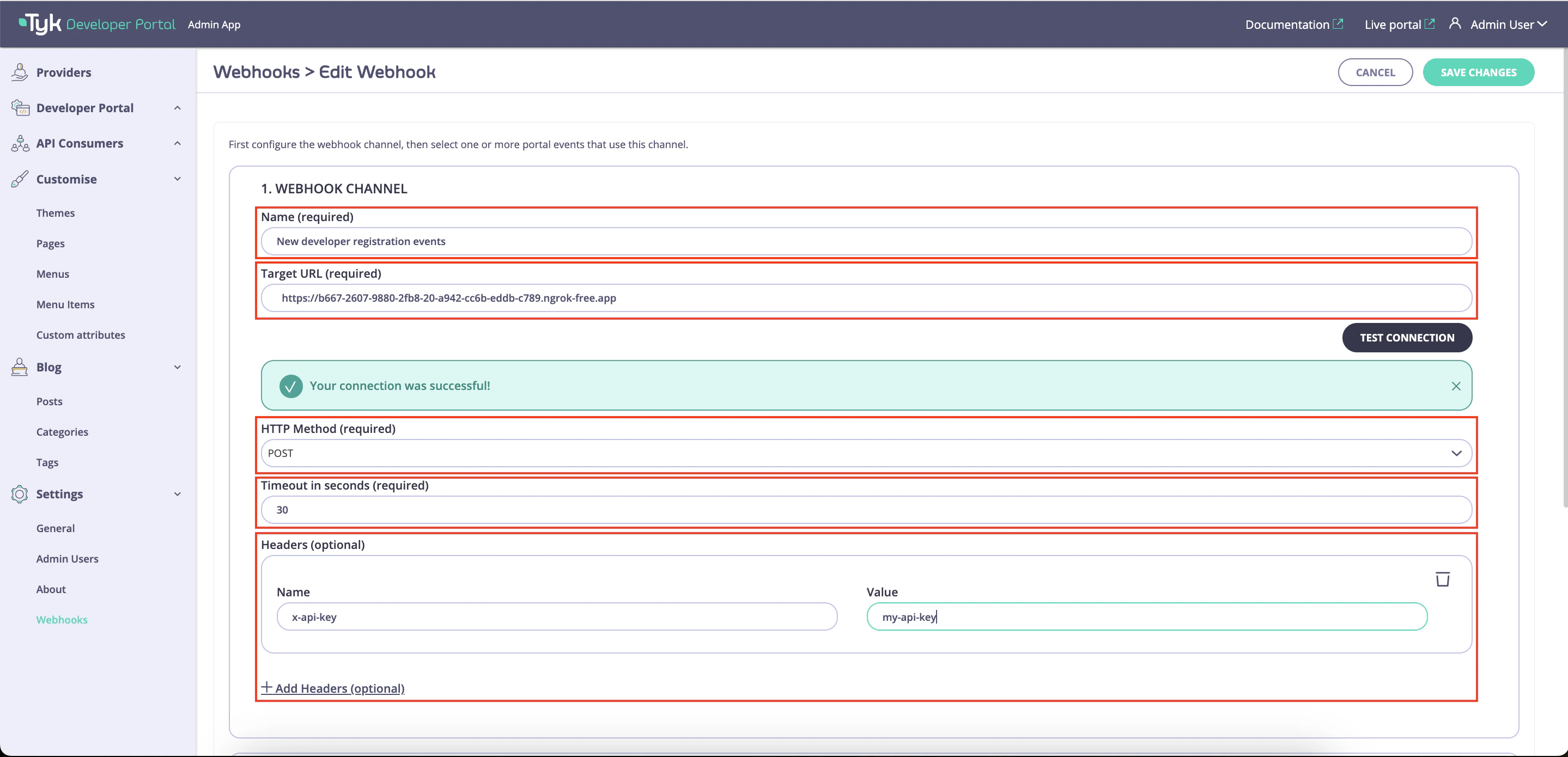
- Configure connectivity to the target endpoint by specify the Target URL, HTTP method, timeout, and request headers.
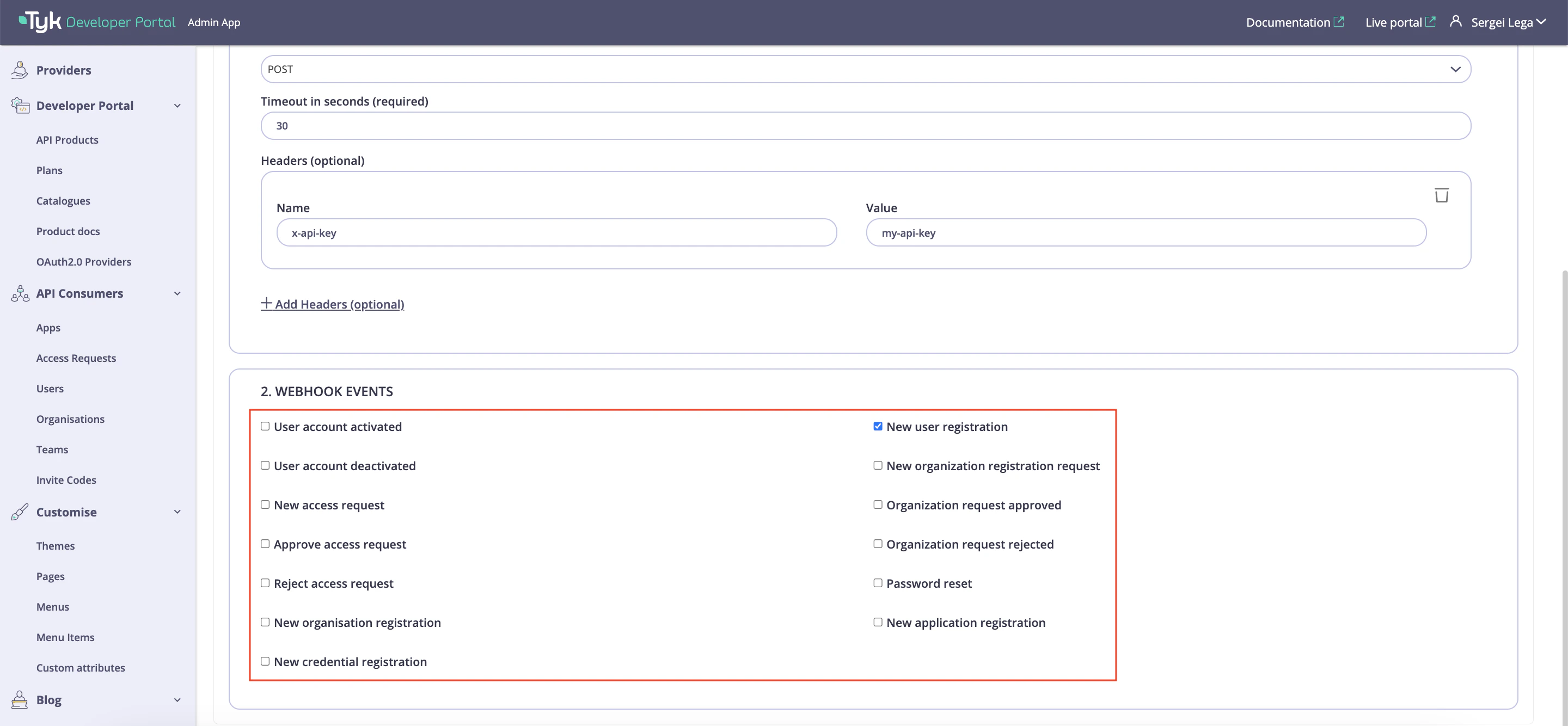
- Select types of events that should be sent to the target endpoint.
Instructions
-
Configure the Target Endpoint
Each webhook delivers events to the Target URL via the specified HTTP Method. Additionally, it’s possible to configure timeout header for requests.
Finally, for each webhook it’s possible to define HTTP headers that should be used for requests to the target URL via the Headers section.
To add a new header, click on the Add Headers button, specify Name and Value of the header.
Note that you can test connectivity to the Target URL by clicking on the Test Connection button.
For testing connectivity, the portal sends a HEAD request to the specified target endpoint.
Please note that the connectivity is tested only with the HEAD method, and the test call does not include any headers defined in the Headers section.
-
Select Event Types for the Webhook
To finish configuration, select types of events that should be sent to the Target URL and save the changes. Refer the docs below to know more about supported event types